
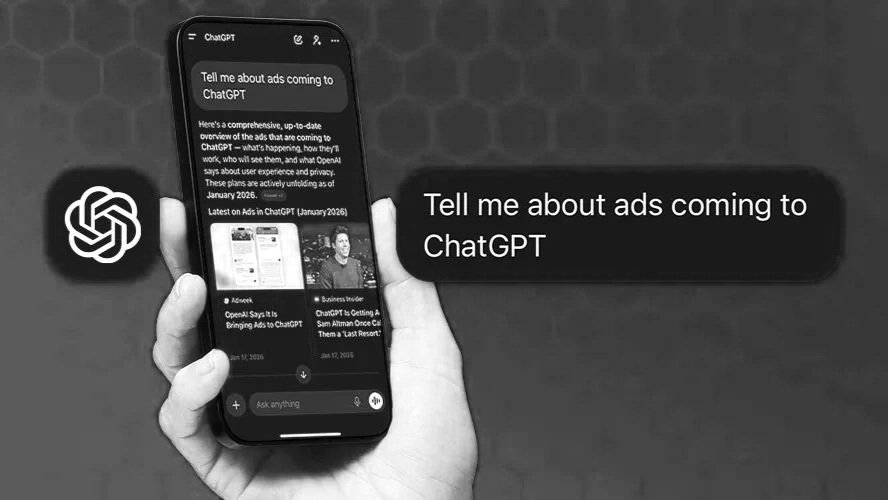
In an announcement that could be described as the biggest news in all of digital marketing this year, OpenAI has launched self service ads for ChatGPT. Advertisers in the US now have the ability to serve ads on one of the fastest growing platforms across the web, with other countries on the horizon. Self service ads remove spend minimums previously reported during early access testing while introducing new features like a cost per click delivery option. In this article we will break down everything you need to know about ChatGPT ads, including how to get started, targeting options, new features, and if your business is a good fit for testing these ads.
How to Set Up a ChatGPT Ad Account
As soon as we share the news about ChatGPT ads rolling out more broadly the first question we typically get is how to get started. Luckily, the process is pretty easy. Currently, ads are only offered in the US. You can go to ads.openai.com to create an ad account and follow the steps to verify your business. Be careful while filling out this information because once it is entered it cannot be changed. Early advertisers have reported that verification is taking closer to 5–15 business days, so factor that in before expecting campaigns to go live.
Once verified, there are a few steps needed to set up your account. We recommend navigating to the general settings, before running ads, to edit your account name & logo to what you want them to appear as in ads. From there you will need to navigate to billing and enter your billing information for ads. Finally, if there are any other individuals from your organization that should have access to the ad account you can add them in the users section under settings. Now you are ready to start building your first campaign!
Before you launch, it is also worth knowing that ads only show to users on ChatGPT’s Free and Go tiers. Users on Plus, Pro, Business, Enterprise, and Education plans don’t see ads. The majority of ChatGPT’s user base is on the free tier, but it’s a good thing to keep in mind when setting reach expectations with your team.
Creating Your First Campaign
Advertisers that have spent time running ads on other popular platforms like Google Ads or Meta Ads will feel comfortable working in ChatGPT’s ad manager. The ad manager takes a similar approach to account structure following the Campaign > Ad Group > Ad hierarchy. Campaigns can be created using a bulk upload file or a guided campaign creation in platform.
At the campaign level is where you will set your objective, location targeting, budget, conversion event, start date, & optional end date. At the ad group level you can set your max cpc bid, default destination url, & contextual hints. Contextual hints are open ended and help OpenAI serve your ads to your target audience. Hints can include descriptions of conversations, topics, or keywords where your products or services may be relevant. It is important to mention these hints guide matching, but are not exact match rules like you might see in targeting on other platforms.
Since contextual hints are the closest thing to audience targeting on the platform right now, it pays to be thoughtful about how you write them. The most effective hints describe a situation or problem your customer is working through, not just a product category. So instead of writing “project management software,” something like “teams trying to coordinate tasks and collaborate across multiple projects” is going to get you better matching. Think about what your customer is actually asking ChatGPT before they find you, and write your hints around that conversation.
The next step is to configure your ad. You will need to include an ad name, destination URL, headline, description, & image. Headlines currently have a character limit of 50 characters while descriptions have a limit of 100. Ad images are square and can be either .jpg or .png files. Afterwards you just need to review your setup and launch the campaign.
CPM vs. CPC: Which Should You Pick?
Once you’re in the platform, one of the first decisions you’ll make is whether to run on CPM or CPC. Here’s how to think about it.
CPM was the original buying model when ChatGPT ads launched in February 2026, with rates starting around $60 per thousand impressions. According to Digiday, those rates dropped to as low as $25 within about ten weeks as the platform scaled. CPM is the better fit if you’re running a brand awareness play and care more about visibility than clicks.
CPC launched in May 2026, with starting bids in the $3–$5 range per Digiday and Search Engine Land. That puts it in competitive territory with Google Search CPCs in a lot of verticals. With CPC you only pay when someone actually clicks, which makes spend easier to forecast and easier to compare against other channels you’re already running.
For most brands testing this platform for the first time, CPC is the smarter starting point. It limits your exposure while you gather baseline data, and it gives you a number clients can make sense of. Once you know your click-through rate, you can model out whether CPM would be more efficient at your volume.
One thing to set expectations on upfront: conversion tracking on ChatGPT is still catching up. OpenAI has a Conversions API and pixel in place, but early advertisers have found the attribution isn’t as reliable yet as what you’d get from Google or Meta. Plan to use UTM parameters and your own analytics to track what happens post-click, and treat this as more of an upper-funnel channel until the measurement matures.
What Features Are Missing?
At the launch of these new self-serve ads there are a few noticeable features missing. The first is conversion campaign objectives. At launch OpenAI has introduced the ability to measure campaign performance using a Conversion API and pixel-based measurement. However, only clicks and reach are available options to set as a campaign objective. Reach objective campaigns are charged based on a CPM while click objective campaigns charge on a new cost per click basis.
When it comes to ads there is only 1 standard ad type in the self-serve portal. This means there are no ads utilizing product catalogs yet, which will become a huge unlock for ecommerce businesses once available. Finally, there are no audience targeting options available at launch, however, there have been rumors that this will be introduced in the near future with more developments to the platform.
A few categories are also off limits at launch, including healthcare, financial services, legal services, gambling, alcohol, and political content. OpenAI has signaled some of these may open up over time, but right now they’re firm. If your clients fall into any of these verticals, it’s something to keep an eye on rather than a reason to write the platform off entirely.
On the roadmap side, OpenAI has confirmed that CPA bidding is coming later in 2026. That’s the feature that will make this a real direct response channel for most advertisers. If you start running CPC campaigns now and building up conversion data, you’ll be in a much better position to optimize once CPA rolls out.
Are ChatGPT Ads Right for My Business?
While ads in ChatGPT are definitely the current most exciting thing in digital marketing they aren’t right for every business, at least not yet. The inability to optimize towards lower funnel conversions makes ChatGPT ads highly costly for brands that have specific ROI metrics to hit. Within the beta test of ads on ChatGPT, CPMs were reported as high as $60, dropping to an observed range of approximately $25–$45 as the platform scaled. Incremental budgets in many cases can be used more efficiently via a number of channels and platforms to better scale your business.
With all that said there are a number of businesses where ChatGPT ads can make a lot of sense. Businesses with complex, high consideration offerings that users research or compare before buying make an ideal fit for ChatGPT ads. Some business categories that should excel on ChatGPT include travel, B2B software, education, professional services, & some high consideration consumer goods.
First Page Sage projected ChatGPT ad conversion rates by vertical, and high-consideration categories like higher education and B2B software come out on top. Criteo has also reported that traffic referred from large language models converts at roughly 1.5x compared to other digital channels, which speaks to the quality of intent users are bringing to these conversations. A pretty simple gut check: if your customer would turn to ChatGPT to research a purchase before making it, you have a reason to be there. If they wouldn’t, the budget is better spent elsewhere for now.
How We Got Here: What We Predicted vs. What Launched
Earlier this year we published a breakdown of what to expect when ChatGPT ads arrived, including three scenarios for how the buying experience might be structured. One of those scenarios was a standalone platform built and run by OpenAI directly, separate from Microsoft Ads. That’s exactly what launched.
We also recommended clients start building out Microsoft Ads infrastructure as a prep move, given the OpenAI-Microsoft partnership at the time. The platform ended up going standalone instead. That said, a strong Microsoft Ads foundation is still a smart setup for any brand looking to expand into AI-adjacent channels, and none of that infrastructure work goes to waste.
The platform moved faster than most people expected, going from a $200K+ enterprise-only pilot to a no-minimum self-serve tool in about three months. If you want the full strategic context for where ChatGPT ads fit in the broader paid media picture, our original post is still worth a read.
All in all, it is an exciting time in digital marketing and we expect more changes in the coming months to make ChatGPT ads more available and effective for both advertisers and consumers. As the ad platform evolves with new formats, objectives, and capabilities our team at Revel will be sure to help you stay on top of new changes and opportunities for your business.